R 语言学习笔记
  • 主页
  • 实用 R 包
  • 可视化教程
  • R 语言方法
  • 实用操作
  1. 可视化教程
  2. 配色方案
  • 实用 R 包
    • bruceR - 统计分析工具
    • compareGroups - 描述性表
    • scitb - 快速基线表
    • purrr - 函数式编程
  • 可视化教程
    • cowplot - 图形组合
    • tidyplots - 极简可视化
    • ggtext - 中英文字体混合
    • 双坐标轴
    • 配色方案
    • patchwork - 图片拼接
    • 图例自定义
    • 桑基图
    • 地图绑制
    • 森林图
    • GGally - 可视化扩展
  • R 语言方法
    • 卫生经济学分析
    • 时间序列分析
  • 实用操作
    • 数据导入导出
    • RMarkdown 入门
    • Quarto vs RMarkdown
    • Positron IDE 教程

目录

  • 基础工作
    • 加载数据
    • 使用r默认配色方案
    • ggplot2手动调色
  • 使用RColorBrewer包设置颜色
    • Rcolorbrew介绍
    • 查看配色盘,选择3颜色,区分色
    • ggplot2建立柱状图可视化
  • 使用ggsci包设置颜色
    • R包介绍
    • 配色方案
    • 柳叶刀配色
  • 其它实用r包
    • viridis: Colorblind-Friendly Color Maps for R
    • 使用MetBrewer包设置颜色
  1. 可视化教程
  2. 配色方案

R语言配色教程

可视化
配色
Published

October 20, 2024

第98期 R语言教程 科研绘图配色常用R包

在r语言,ggplot2绘图过程中最重要的一部分就是配色的选择。优秀的配色要充分考虑到颜色的区分度,期刊要求,冷暖特点等

本期介绍如何调整r语言中的配色,使整个图片美观优雅

基础工作

加载数据

library(bruceR)
library(ggplot2)
data(iris)
head(iris, 10)
   Sepal.Length Sepal.Width Petal.Length Petal.Width Species
1           5.1         3.5          1.4         0.2  setosa
2           4.9         3.0          1.4         0.2  setosa
3           4.7         3.2          1.3         0.2  setosa
4           4.6         3.1          1.5         0.2  setosa
5           5.0         3.6          1.4         0.2  setosa
6           5.4         3.9          1.7         0.4  setosa
7           4.6         3.4          1.4         0.3  setosa
8           5.0         3.4          1.5         0.2  setosa
9           4.4         2.9          1.4         0.2  setosa
10          4.9         3.1          1.5         0.1  setosa

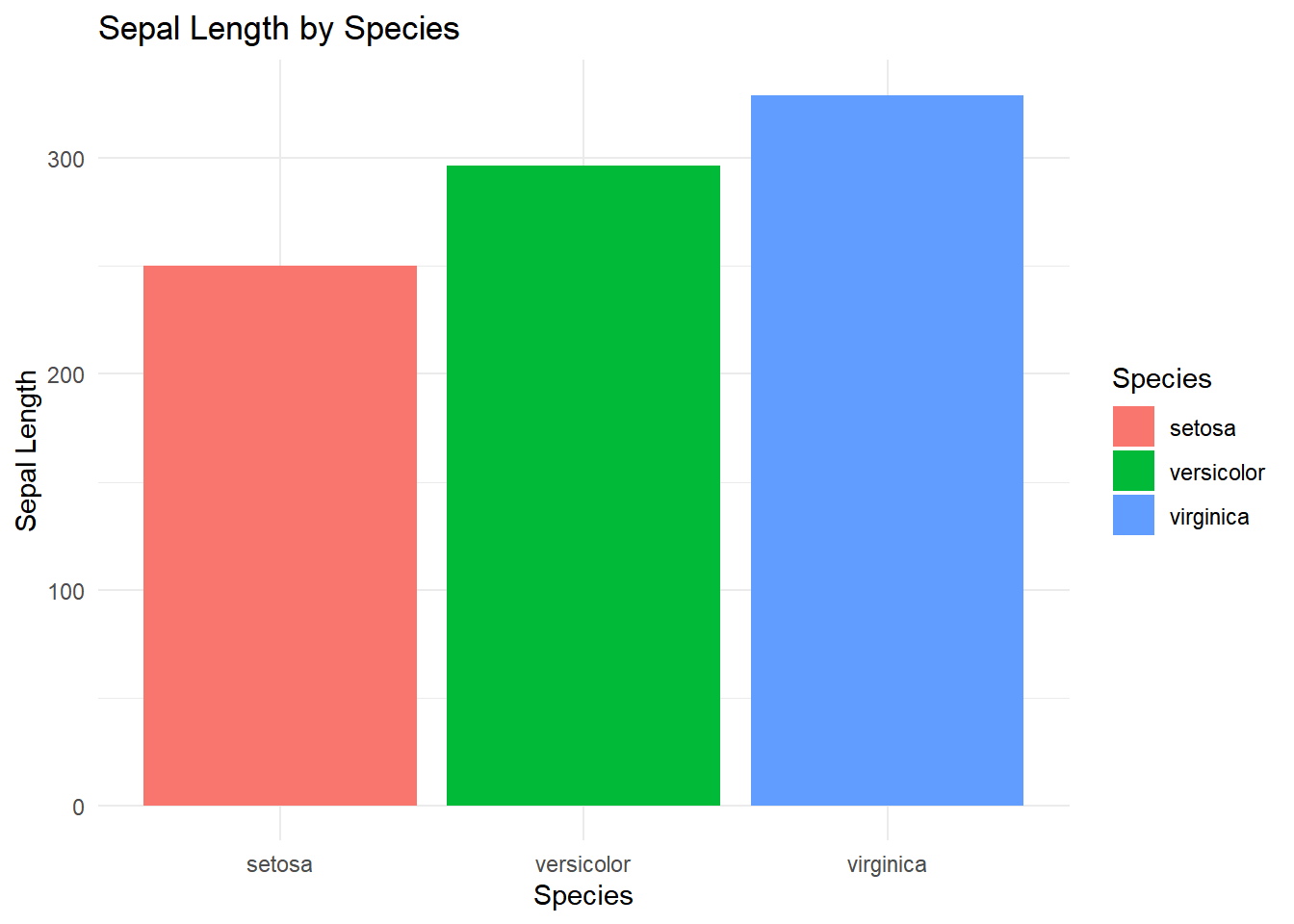
使用r默认配色方案

ggplot(iris, aes(x = Species, y = Sepal.Length, fill = Species)) +
  geom_bar(stat = "identity") +
  labs(title = "Sepal Length by Species", x = "Species", y = "Sepal Length") +
  theme_minimal()

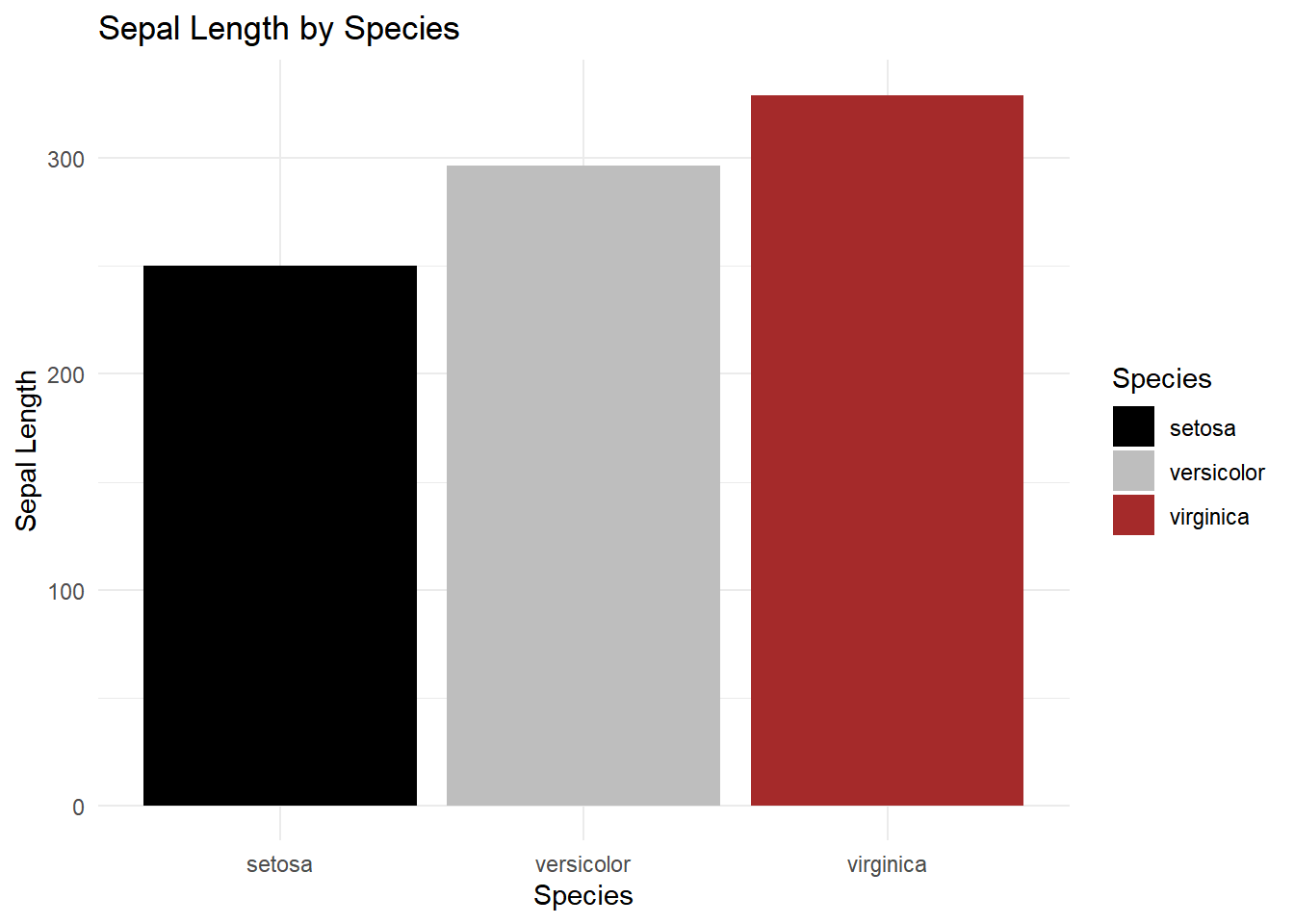
ggplot2手动调色

ggplot(iris, aes(x = Species, y = Sepal.Length, fill = Species)) +
  geom_bar(stat = "identity") +
  labs(title = "Sepal Length by Species", x = "Species", y = "Sepal Length") +
  theme_minimal()+
  scale_fill_manual(values = c("black", "grey", "brown"))

使用RColorBrewer包设置颜色

Rcolorbrew介绍

CRAN库:CRAN: Package RColorBrewer (r-project.org)

调用网站https://colorbrewer2.org/上的配色方案,使用人数众多,整体比较中规中矩

library(RColorBrewer)

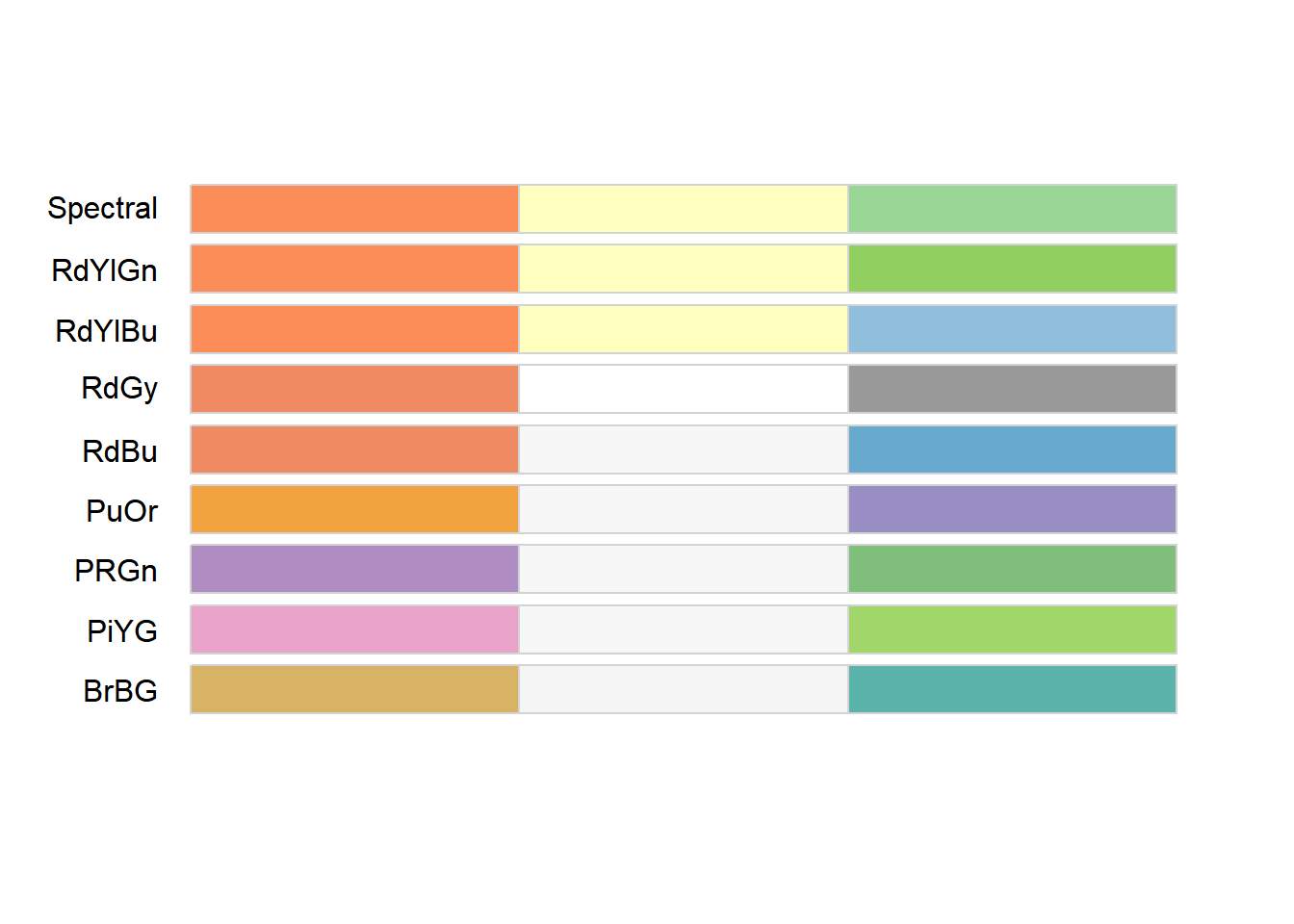
查看配色盘,选择3颜色,区分色

  1. 先display配色,查看目标色数和色型
  2. 选择合适的调色盘,在ggplot中使用 scale_*_brewer调用
display.brewer.all(3, type = 'div')

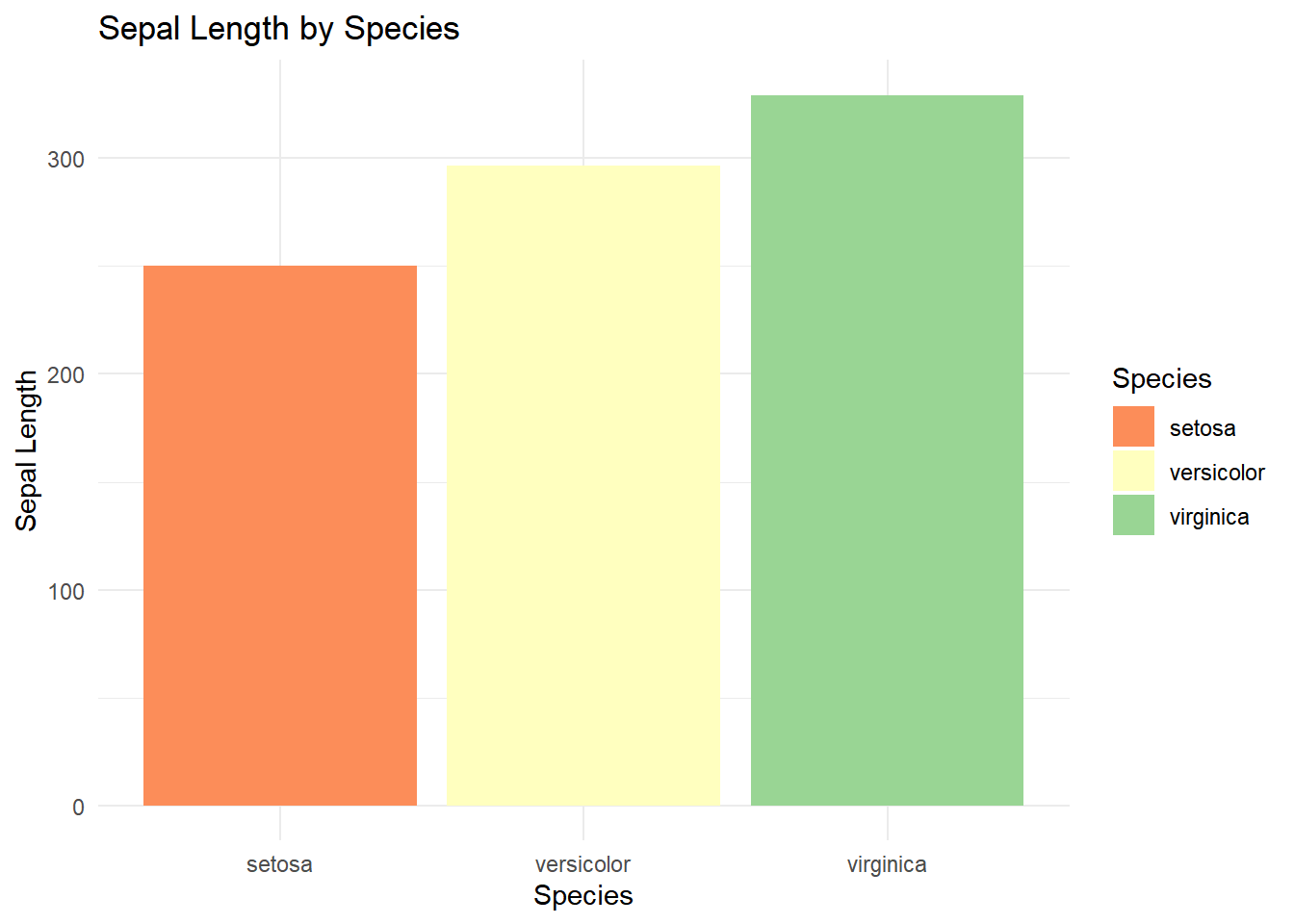
ggplot2建立柱状图可视化

ggplot(iris, aes(x = Species, y = Sepal.Length, fill = Species)) +
  geom_bar(stat = "identity") +
  labs(title = "Sepal Length by Species", x = "Species", y = "Sepal Length") +
  theme_minimal()+
  scale_fill_brewer(palette = "Spectral")

使用ggsci包设置颜色

R包介绍

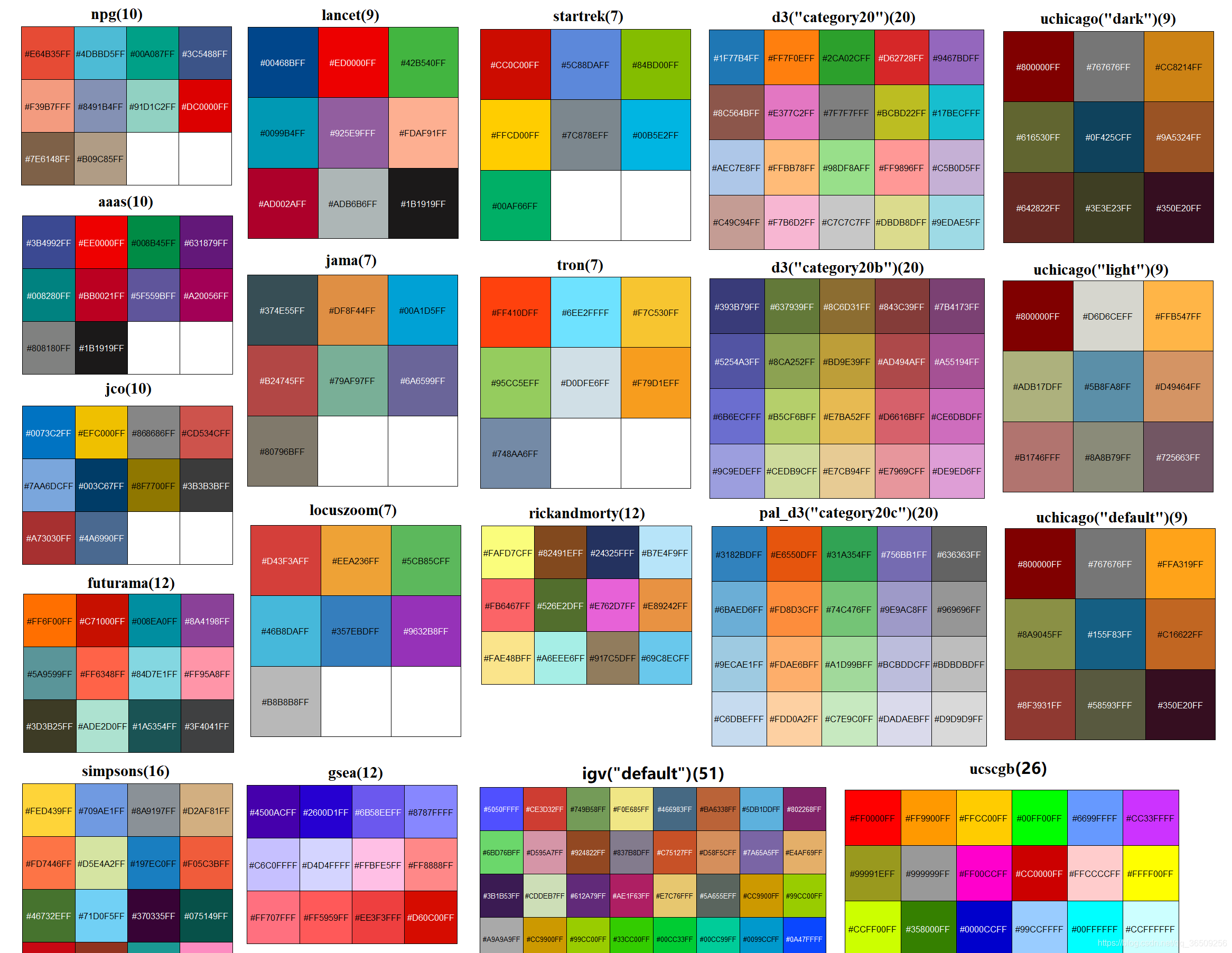
ggsci包含期刊或软件的经典配色,投稿时调用快,效果好,顺手就用上了我用该包配色最多

CRAN库:CRAN: Package ggsci (r-project.org)

教程:Scientific Journal and Sci-Fi Themed Color Palettes for ggplot2 (r-project.org)

library(ggsci)

配色方案

Name Scales Palette Types Palette Generator
NPG scale_color_npg() scale_fill_npg() "nrc" pal_npg()
AAAS scale_color_aaas() scale_fill_aaas() "default" pal_aaas()
NEJM scale_color_nejm() scale_fill_nejm() "default" pal_nejm()
Lancet scale_color_lancet() scale_fill_lancet() "lanonc" pal_lancet()
JAMA scale_color_jama() scale_fill_jama() "default" pal_jama()
BMJ scale_color_bmj() scale_fill_bmj() "default" pal_bmj()
JCO scale_color_jco() scale_fill_jco() "default" pal_jco()
UCSCGB scale_color_ucscgb() scale_fill_ucscgb() "default" pal_ucscgb()
D3 scale_color_d3()``scale_fill_d3() "category10" "category20" "category20b" "category20c" pal_d3()
Observable scale_color_observable() scale_fill_observable() "observable10" pal_observable()
LocusZoom scale_color_locuszoom() scale_fill_locuszoom() "default" pal_locuszoom()
IGV scale_color_igv() scale_fill_igv() "default"``"alternating" pal_igv()
COSMIC scale_color_cosmic() scale_fill_cosmic() "hallmarks_light"``"hallmarks_dark"``"signature_substitutions" pal_cosmic()
UChicago scale_color_uchicago() scale_fill_uchicago() "default"``"light"``"dark" pal_uchicago()
Star Trek scale_color_startrek() scale_fill_startrek() "uniform" pal_startrek()
Tron Legacy scale_color_tron() scale_fill_tron() "legacy" pal_tron()
Futurama scale_color_futurama() scale_fill_futurama() "planetexpress" pal_futurama()
Rick and Morty scale_color_rickandmorty() scale_fill_rickandmorty() "schwifty" pal_rickandmorty()
The Simpsons scale_color_simpsons() scale_fill_simpsons() "springfield" pal_simpsons()
Flat UI scale_color_flatui() scale_fill_flatui() "default" "flattastic" "aussie" pal_flatui()
Frontiers scale_color_frontiers() scale_fill_frontiers() "default" pal_frontiers()
GSEA scale_color_gsea() scale_fill_gsea() "default" pal_gsea()
Bootstrap 5 scale_color_bs5() scale_fill_bs5() "blue" "indigo"``"purple" "pink"``"red" "orange"``"yellow" "green"``"teal" "cyan"``"gray" pal_bs5()
Material Design scale_color_material() scale_fill_material() "red" "pink"``"purple" "deep-purple"``"indigo" "blue"``"light-blue" "cyan"``"teal" "green"``"light-green" "lime"``"yellow" "amber"``"orange" "deep-orange"``"brown" "grey"``"blue-grey" pal_material()
Tailwind CSS scale_color_tw3() scale_fill_tw3() "slate" "gray"``"zinc" "neutral"``"stone" "red"``"orange" "amber"``"yellow" "lime"``"green" "emerald"``"teal" "cyan"``"sky" "blue"``"indigo" "violet"``"purple" "fuchsia"``"pink" "rose" pal_tw3()

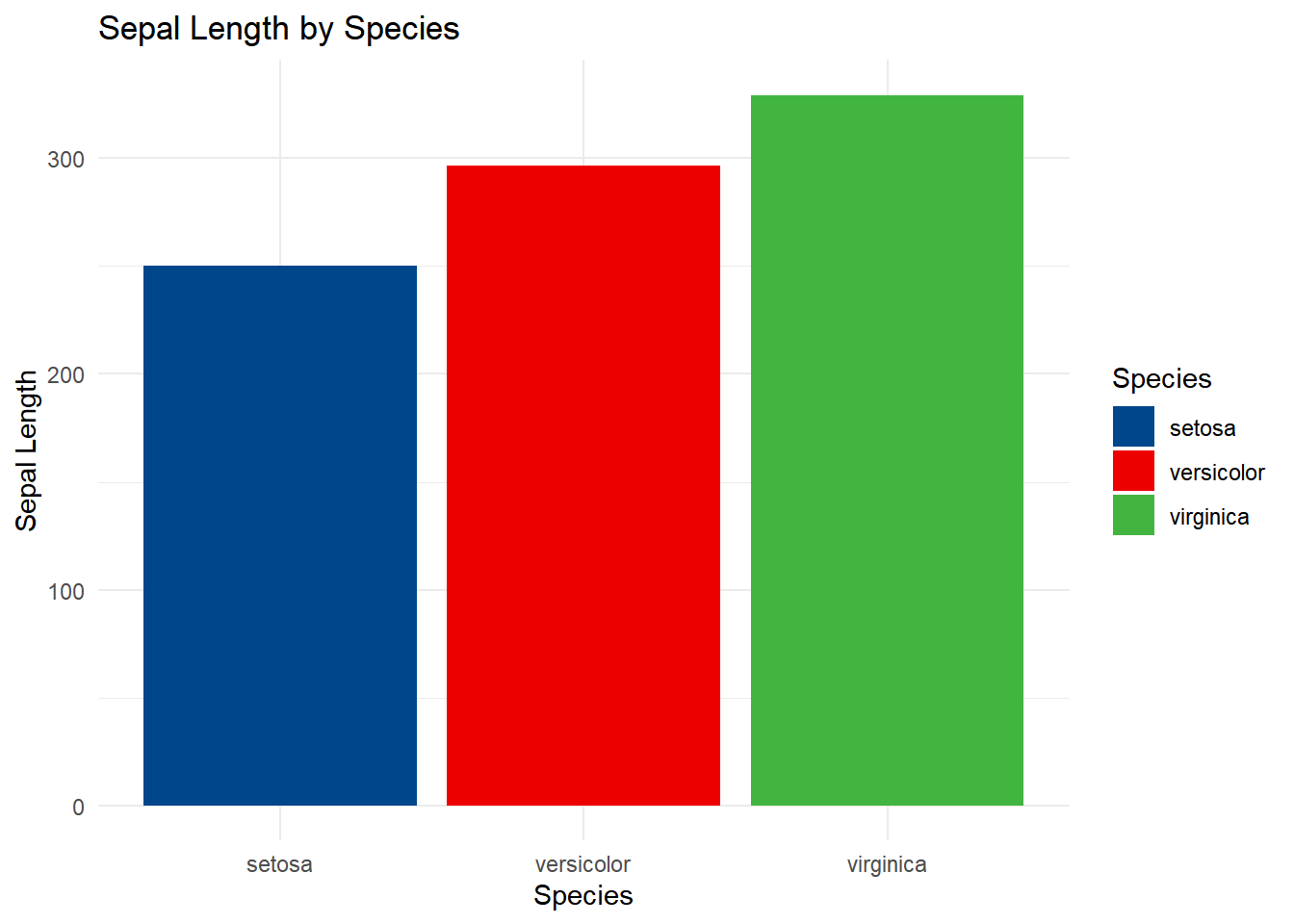
柳叶刀配色

ggplot(iris, aes(x = Species, y = Sepal.Length, fill = Species)) +
  geom_bar(stat = "identity") +
  labs(title = "Sepal Length by Species", x = "Species", y = "Sepal Length") +
  theme_minimal()+
  scale_fill_lancet()

其它实用r包

viridis: Colorblind-Friendly Color Maps for R

介绍

官方仓库:CRAN: Package viridis (r-project.org)

教程:Introduction to the viridis color maps (r-project.org)

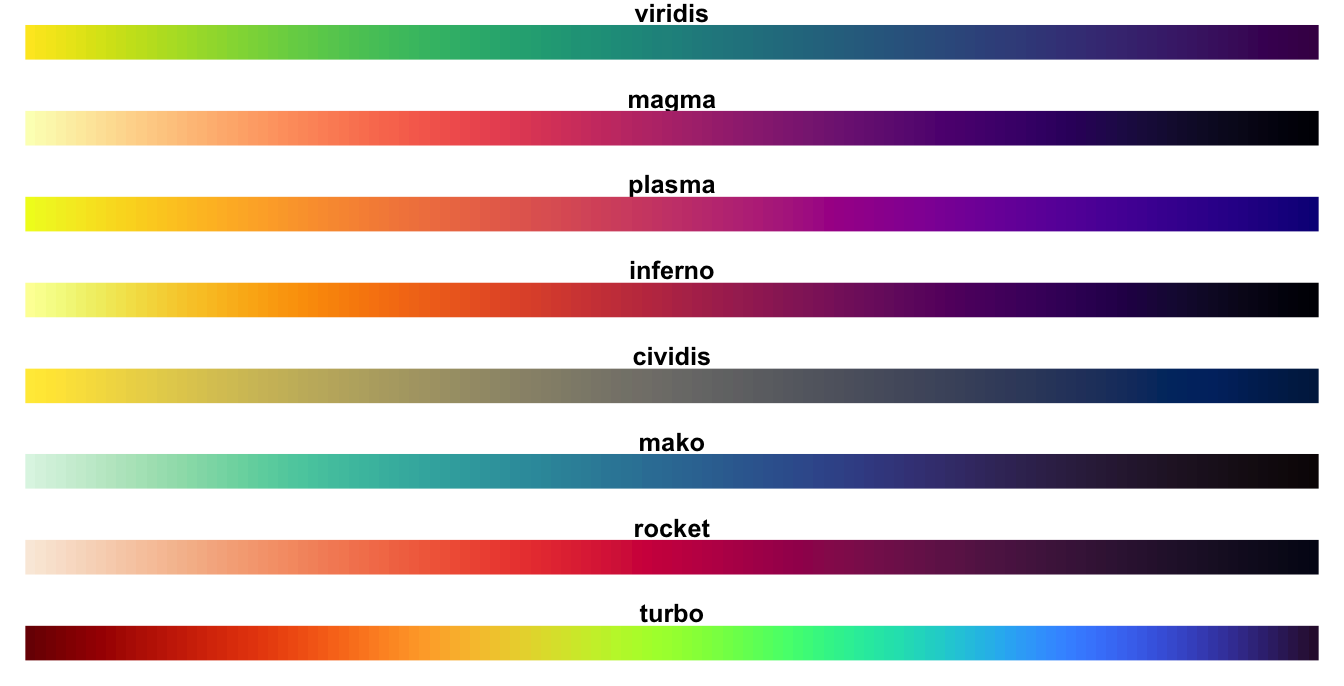
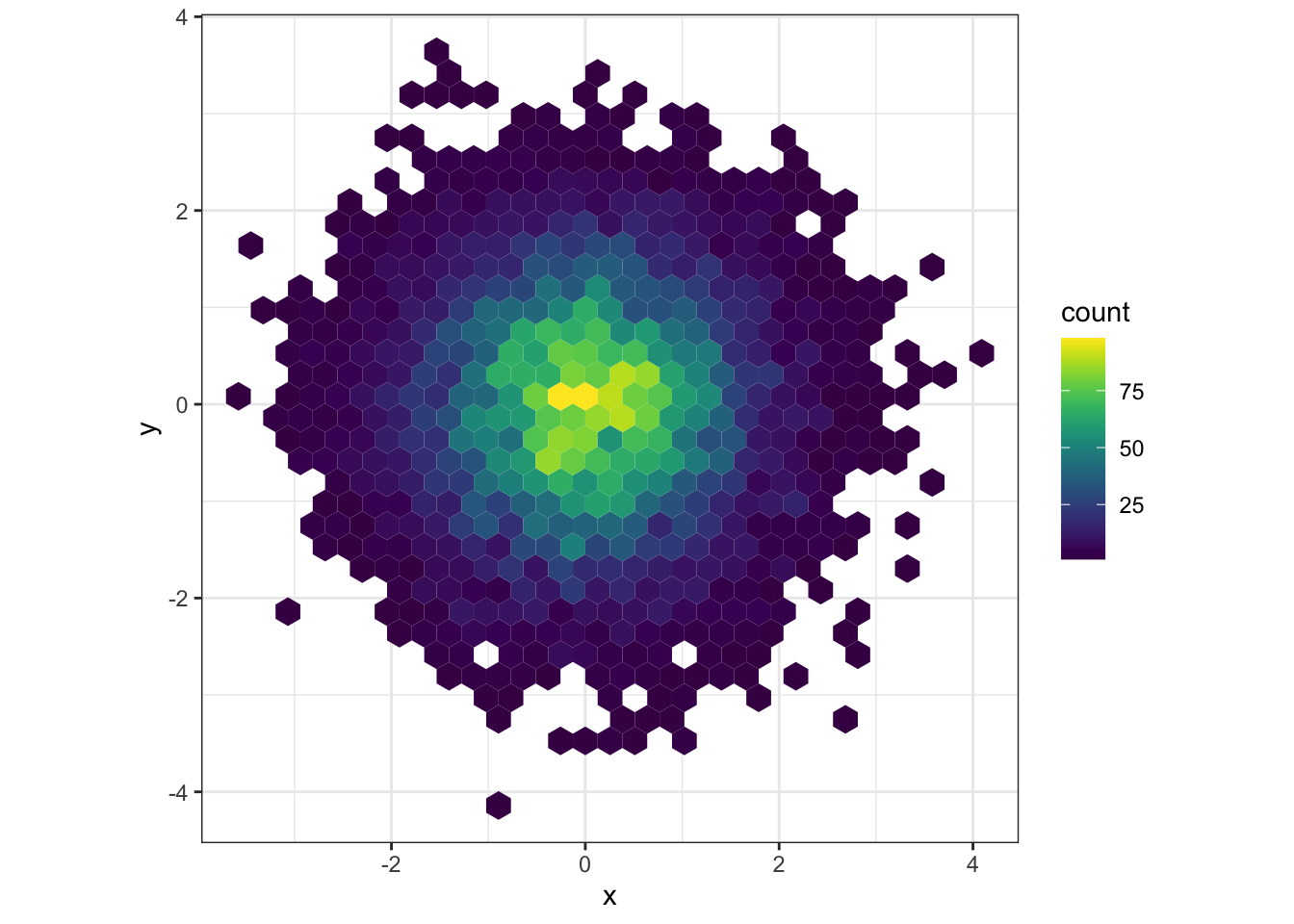
多用于连续渐变色

使用效果

色盘

使用方案参考

使用MetBrewer包设置颜色

r包介绍

官方CRAN库:CRAN: Package MetBrewer (r-project.org)

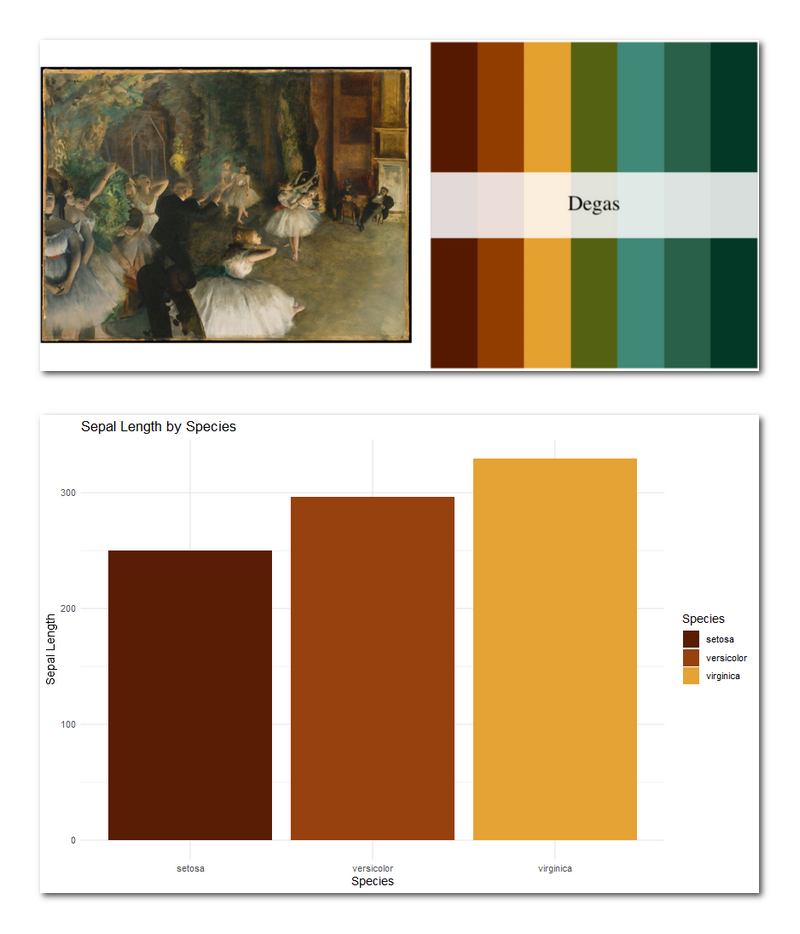
配色方案参考纽约大都会艺术博物馆,艺术感爆表一起来看看

library(MetBrewer)

查看配色盘,选择3颜色,区分色

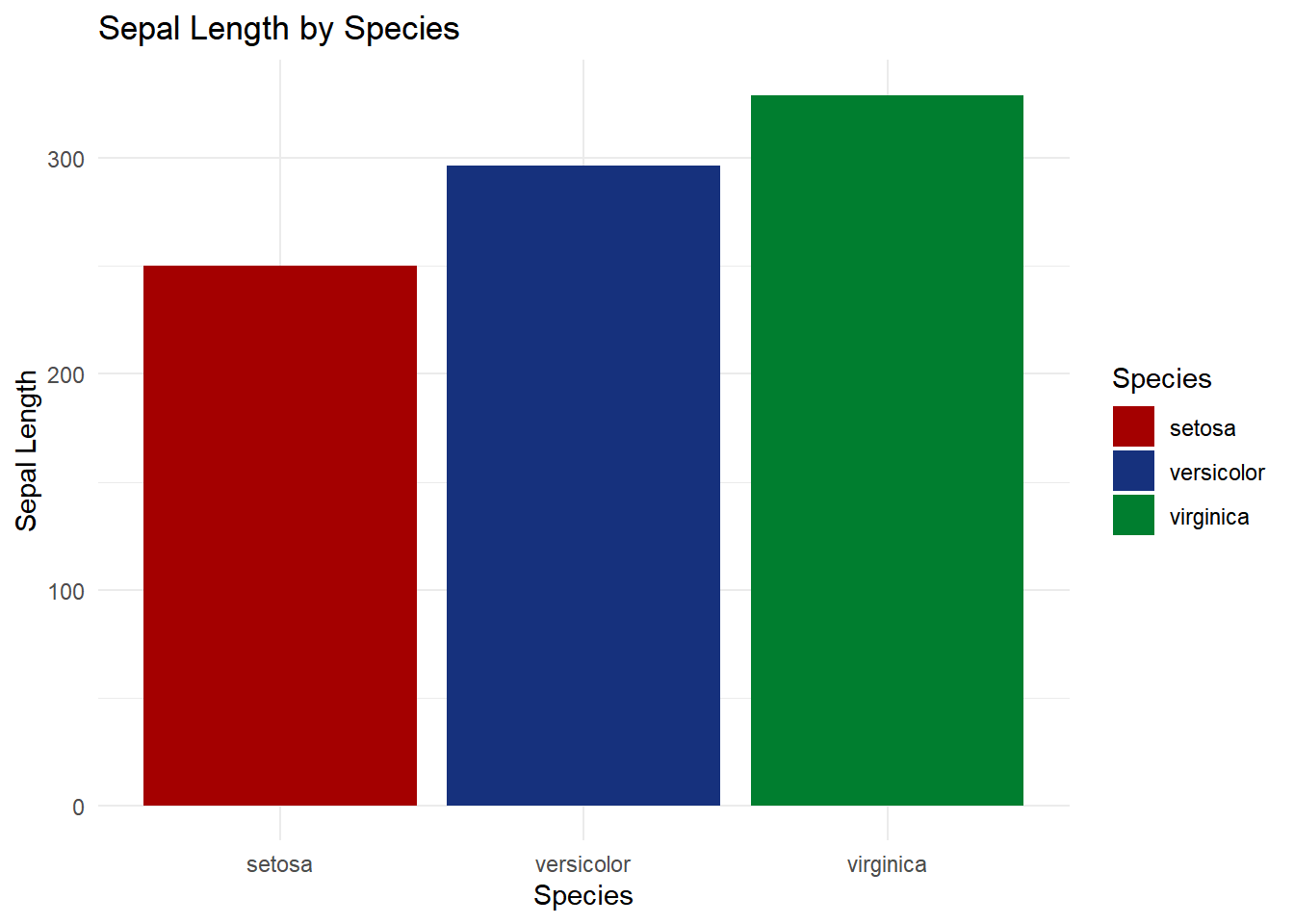
ggplot(iris, aes(x = Species, y = Sepal.Length, fill = Species)) +
  geom_bar(stat = "identity") +
  labs(title = "Sepal Length by Species", x = "Species", y = "Sepal Length") +
  theme_minimal()+
  scale_fill_manual(values = met.brewer("Austria"))

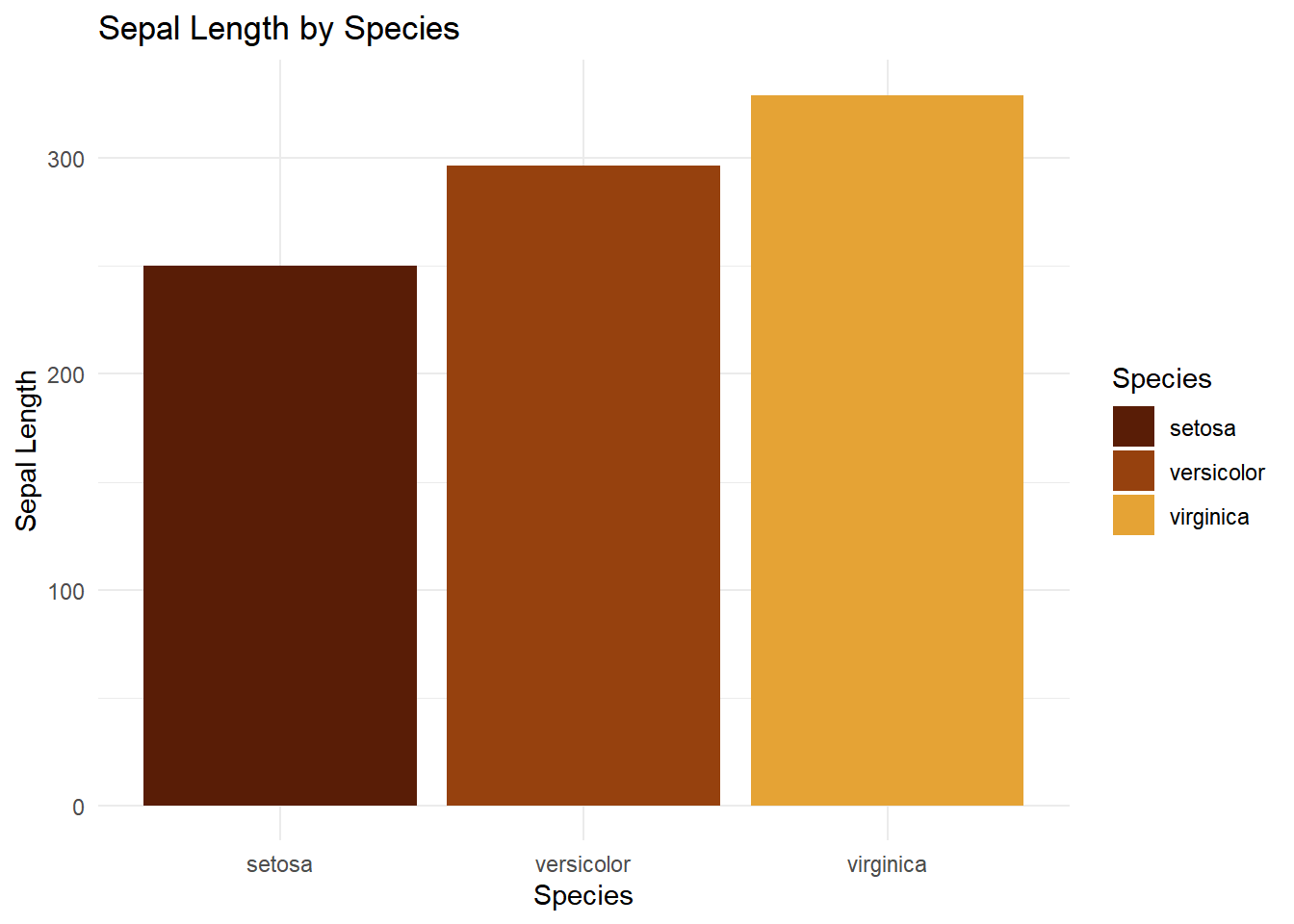
ggplot(iris, aes(x = Species, y = Sepal.Length, fill = Species)) +
  geom_bar(stat = "identity") +
  labs(title = "Sepal Length by Species", x = "Species", y = "Sepal Length") +
  theme_minimal()+
  scale_fill_manual(values = met.brewer("Degas"))

最后看看好看


Made with Quarto | © 2024-2026